
WhatsApp Contact Management Built for Teams That Send at Scale
Upload unlimited contacts. Group, tag, and target the right audience for every campaign.
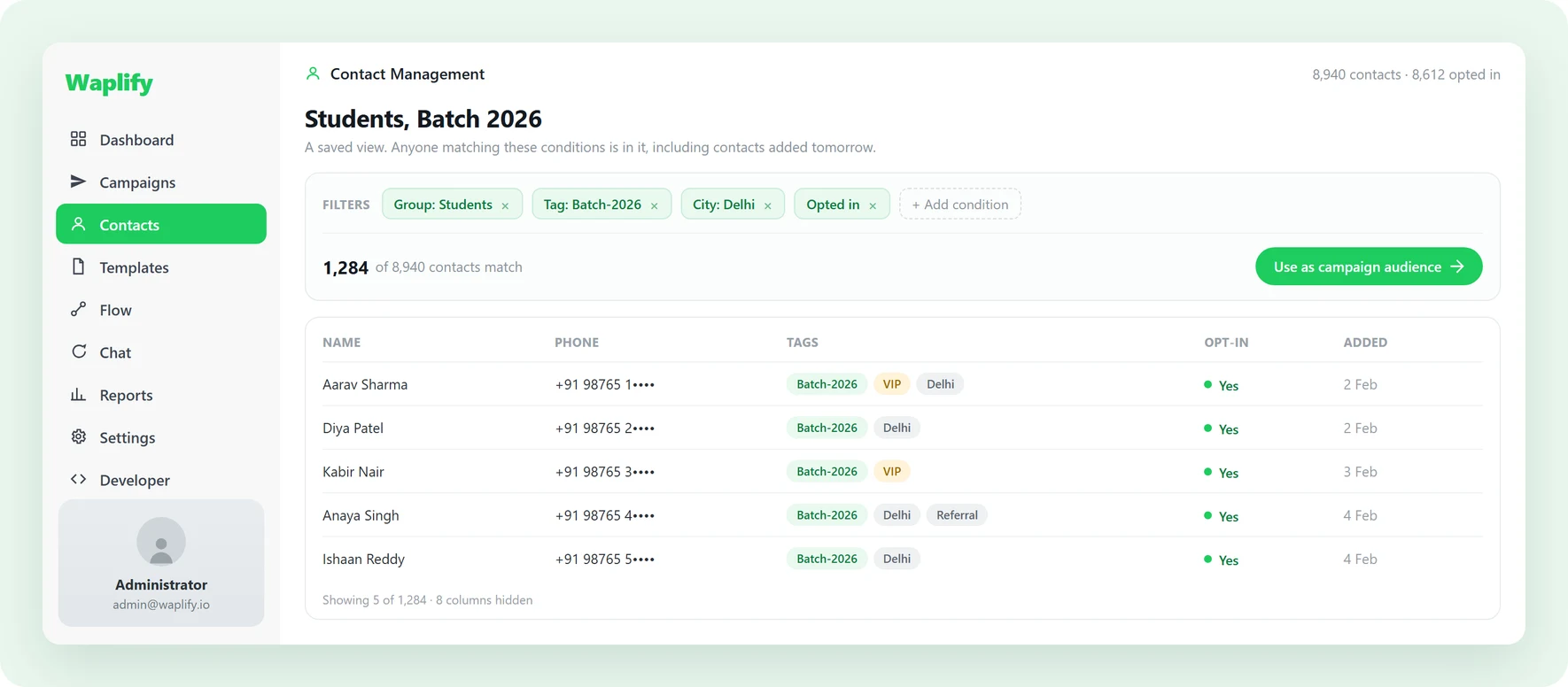
A messy address book is a banned number waiting to happen
Three things go wrong before your next campaign even leaves the queue.
-
No opt-in tracking, instant reports
Numbers without consent get reported by recipients. One block report turns into ten, and Meta drops your quality rating before you notice.
-
CSV imports leave duplicates
Without dedupe, every re-upload doubles a row that already exists. Your campaign sends the same message twice to the same person, and tags drift across imports.
-
Your list lives in five places
Phone contacts, the WhatsApp Business app, your CRM, exported spreadsheets, agents’ personal phones. No single source of truth means every campaign starts with manual reconciliation.
Built for any business that talks to customers on WhatsApp
-
Agencies
Manage multi-client retainers, approvals, and weekly briefings.
-
Coaching
Track batches, admissions, fee notices, and class reminders.
-
Education
Reach students and parents with fees, exams, and class updates.
-
Medical & Clinics
Appointment reminders, follow-ups, and branch alerts.
-
Tourism
Share itineraries, seasonal offers, and trip-day reminders.
-
Travel agencies
Send trip plans, booking updates, and post-trip follow-ups.
-
Real estate
Send listing alerts, qualify buyers, and book site visits.
-
Professional services
Client onboarding, milestones, and renewal nudges.
-
Finance & Insurance
Policy reminders, EMI alerts, and document collection nudges.
How do you organise WhatsApp contacts?
Three capabilities that turn a customer list into a campaign-ready audience.
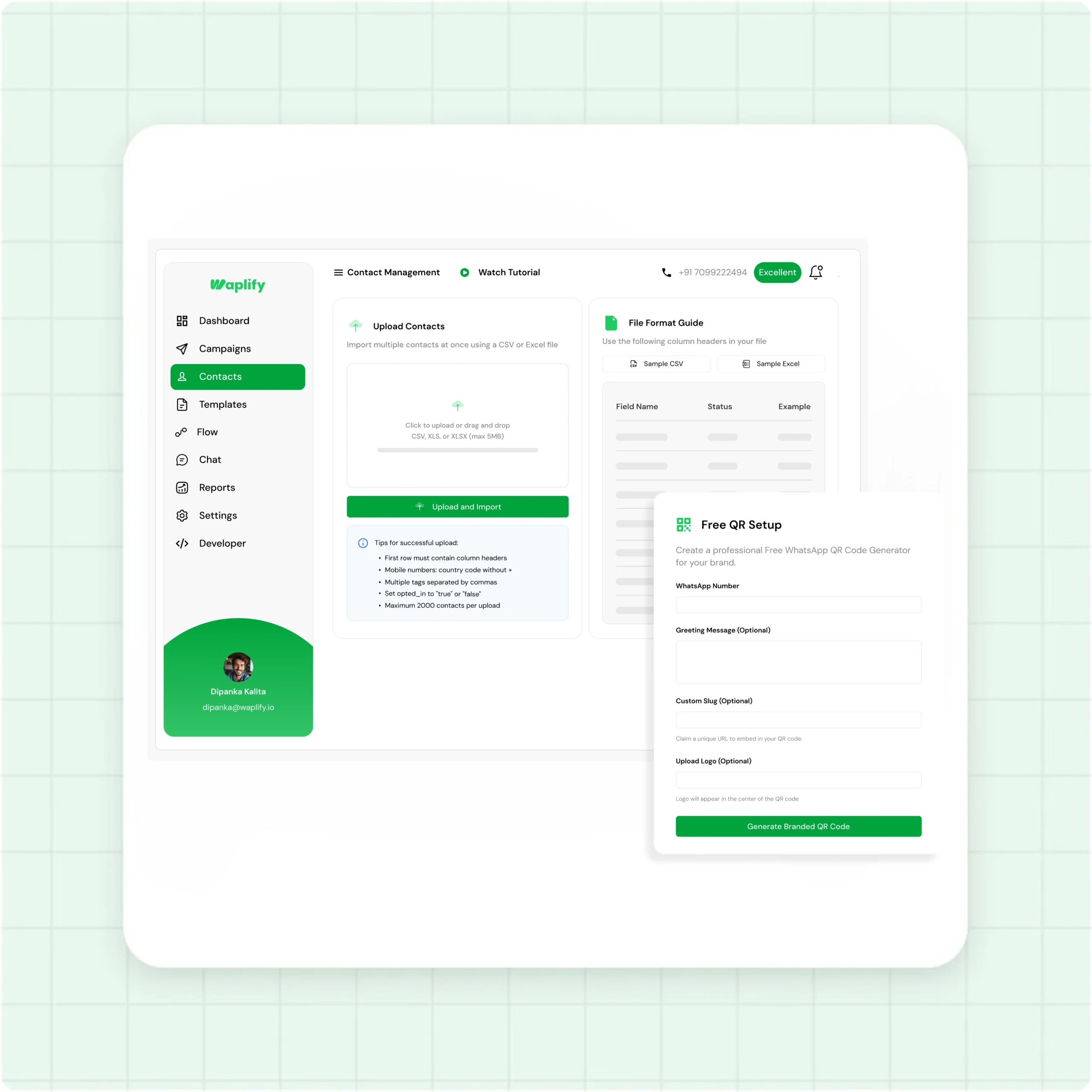
Bring every contact in, in minutes
Bulk-import. Validate, dedupe, ready to message.
- CSV or Excel upload, unlimited contacts per account
- Duplicate phone numbers auto-merged with latest details
- Per-row error report. Re-upload only failed rows
- Capture new contacts offline with the WhatsApp QR Code Generator
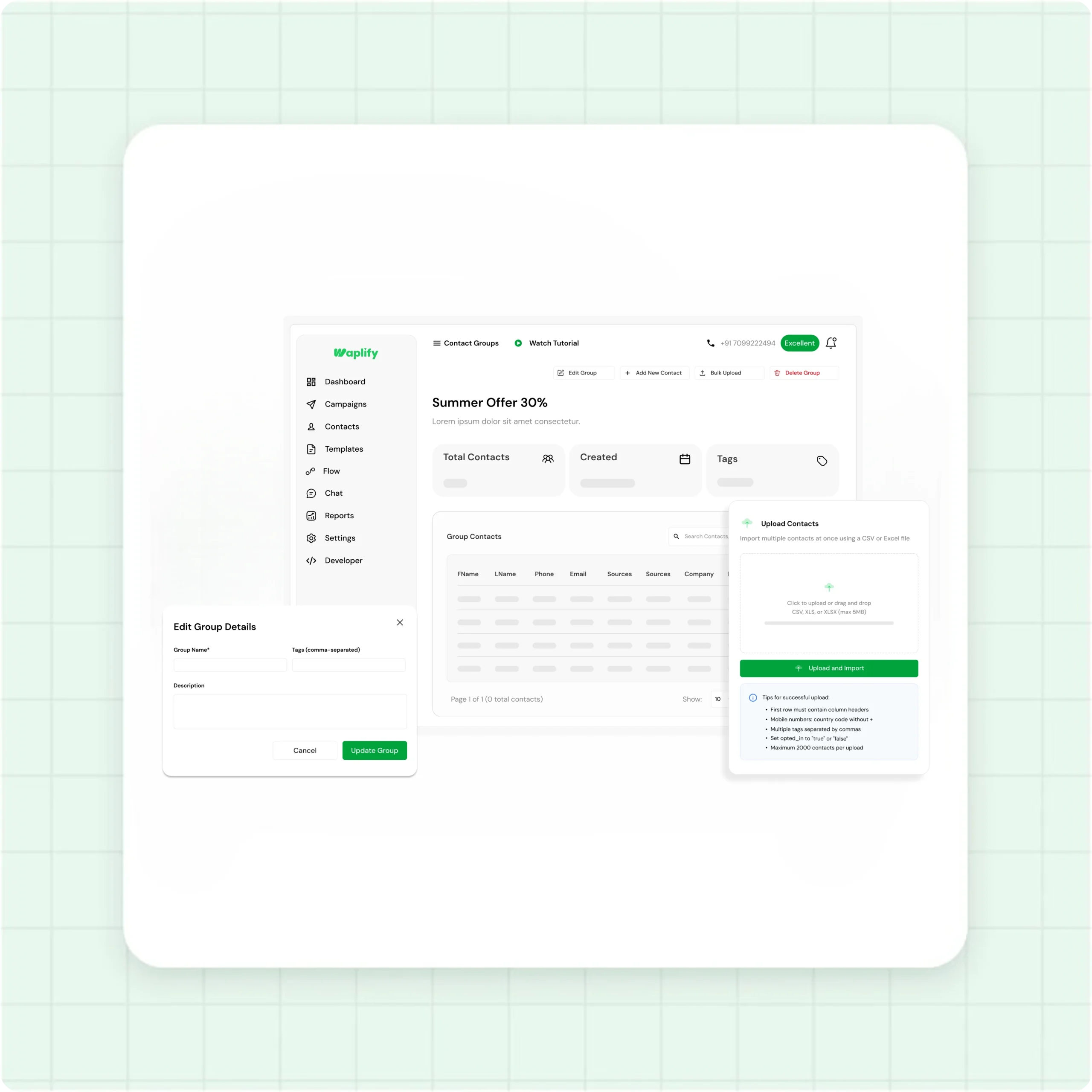
Group your audience for every campaign
Build groups by customer type, lifecycle, or signal. One-click campaign audience.
- Unlimited groups, contacts can sit in many at once
- Bulk-add from your list or upload a fresh CSV per group
- Use one group, several groups, or your full list as a campaign audience
- Rename or delete groups without touching the contacts inside
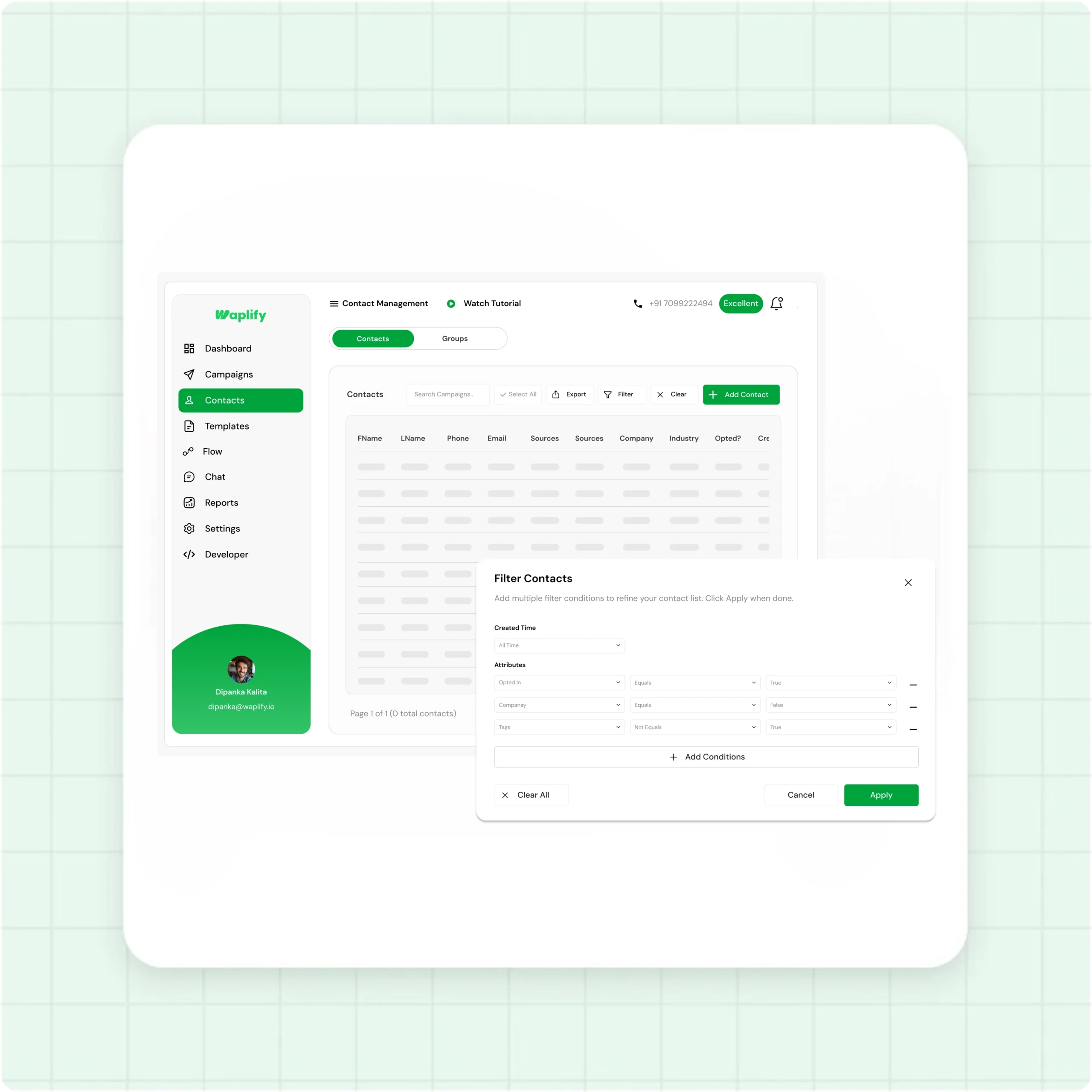
Tag, filter, and protect your quality rating
Tags layer on top of groups. Combine tags, opt-in, and fields to slice the audience you need.
- Custom tags applied to one contact or thousands at once
- Filter by tag, opt-in, company, industry, or any standard field
- Export the current filtered view as CSV in one click
From CSV to campaign-ready in four steps
-
Connect your number
Sign up at app.waplify.io, link your number through Meta's WhatsApp Business API. Setup runs under 30 minutes.
-
Import contacts
Download the template, fill First Name and phone, upload. Waplify validates and flags duplicates before you commit.
-
Organize with groups and tags
Create groups for the audiences you message often. Apply tags for custom slicing. Every Waplify feature can target them in one click.
-
Pick a group, start a campaign
On the Create Campaign screen, pick a group. Send now or schedule. Every status tracked.
How real teams use Waplify for contact management
-
A coaching institute keeping student batches clean
Imports new admissions every cycle. Each batch becomes its own group ("JEE 2026 Batch A", "Foundation Year 9"). Reminders reach only the right batch.
-
A travel agency segmenting by destination
Tags past customers by destination booked. When seasonal packages launch, filter "Tag: Beach, Opt-in: yes" and broadcast to that slice.
-
A multi-branch medical group tied to its locations
Three branches, one group per branch. Reminders and re-booking prompts stay tied to each patient's home location. Easy to manage.
Common questions
Quick answers to the questions buyers ask most
1. What is a WhatsApp broadcast list?
2. Can a contact belong to more than one group?
3. How do I track opt-in status on my contact list?
4. Does Waplify contact management work for my industry?
5. What does the lifetime plan include?
6. Can I export my contacts later?
Get Lifetime Access to Waplify Today
Stop paying for monthly subscriptions. Automate your business forever with a one-time investment.
Lifetime plans from $199