
WhatsApp Team Inbox: Give Every Customer Chat an Owner
Assign conversations, hand them off with full context, and resolve them when done. Your whole team works one inbox without ever replying over each other.
One phone cannot keep a whole team organized
Three things go wrong when a team shares one WhatsApp number without a real inbox.
-
Chats fall through the cracks
Messages pile up and nobody owns them. Replies sit unanswered while customers wait, and there is no clear list of what still needs a response.
-
Two agents answer the same customer
Without assignment, teammates step on each other. The customer gets duplicate replies, or two different answers to the same question.
-
Handoffs lose the context
When a chat passes to someone else at a shift change or escalation, the new agent has no history. The customer ends up repeating everything.
Built for any business that talks to customers on WhatsApp
-
Agencies
Manage multi-client retainers, approvals, and weekly briefings.
-
Coaching
Track batches, admissions, fee notices, and class reminders.
-
Education
Reach students and parents with fees, exams, and class updates.
-
Medical & Clinics
Appointment reminders, follow-ups, and branch alerts.
-
Tourism
Share itineraries, seasonal offers, and trip-day reminders.
-
Travel agencies
Send trip plans, booking updates, and post-trip follow-ups.
-
Real estate
Send listing alerts, qualify buyers, and book site visits.
-
Professional services
Client onboarding, milestones, and renewal nudges.
-
Finance & Insurance
Policy reminders, EMI alerts, and document collection nudges.
What you get with the Waplify team inbox
Four capabilities that turn scattered chats into one organized workflow.
Every chat has a clear owner
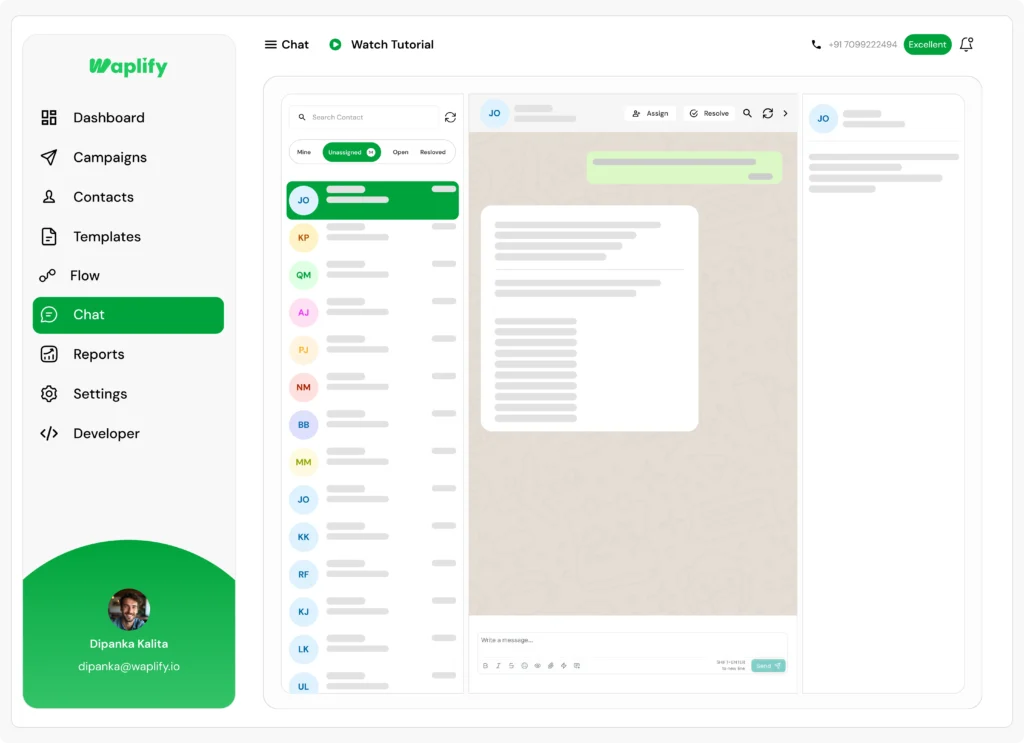
The team inbox splits conversations into Mine, Unassigned, Open, and Resolved tabs.
- Assign any unassigned chat to yourself or a teammate
- The Mine tab is each agent's clear to-do list
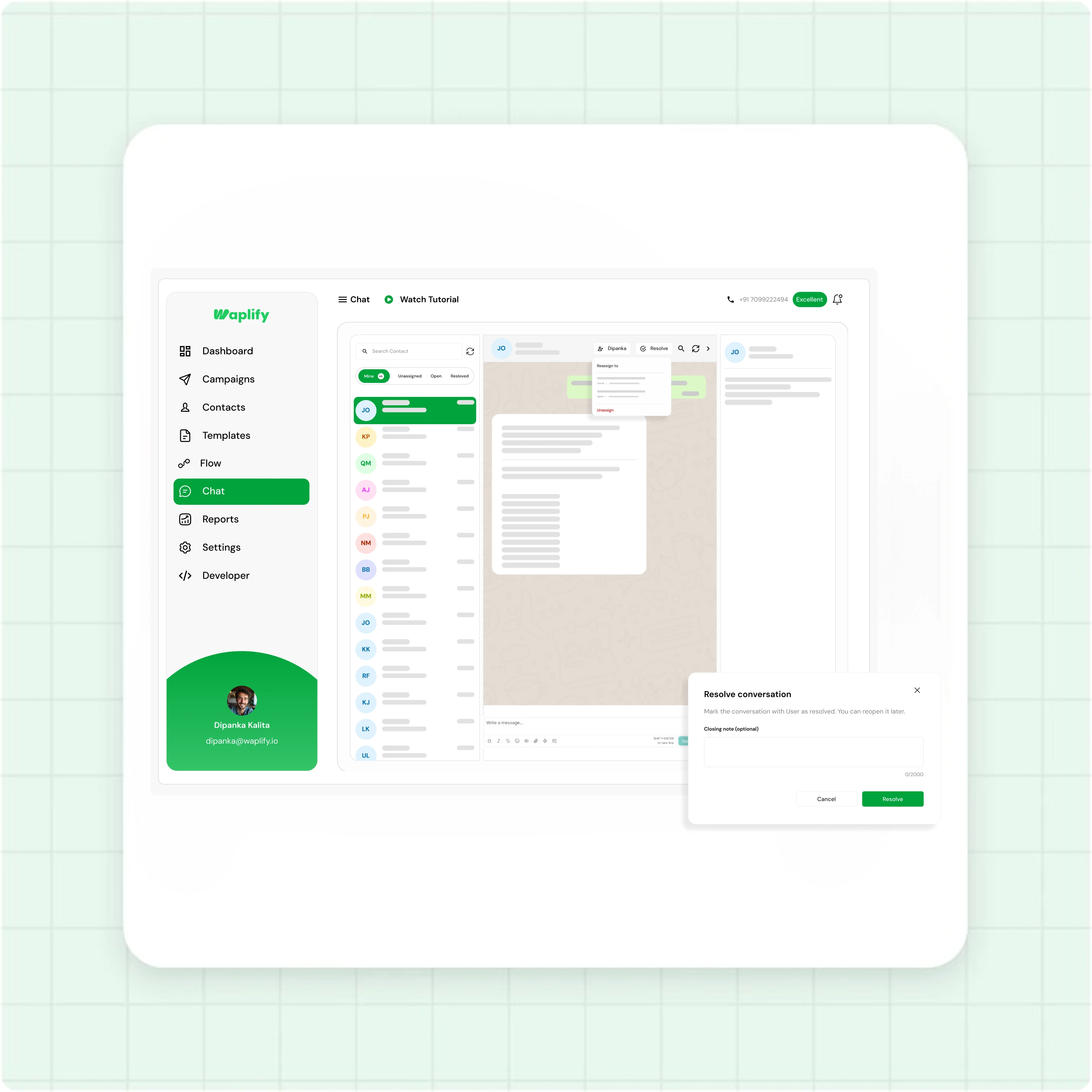
- Resolve a chat when it is done, and reopen it any time
- Replies to your broadcasts and new chats share one list
Hand off without losing the thread
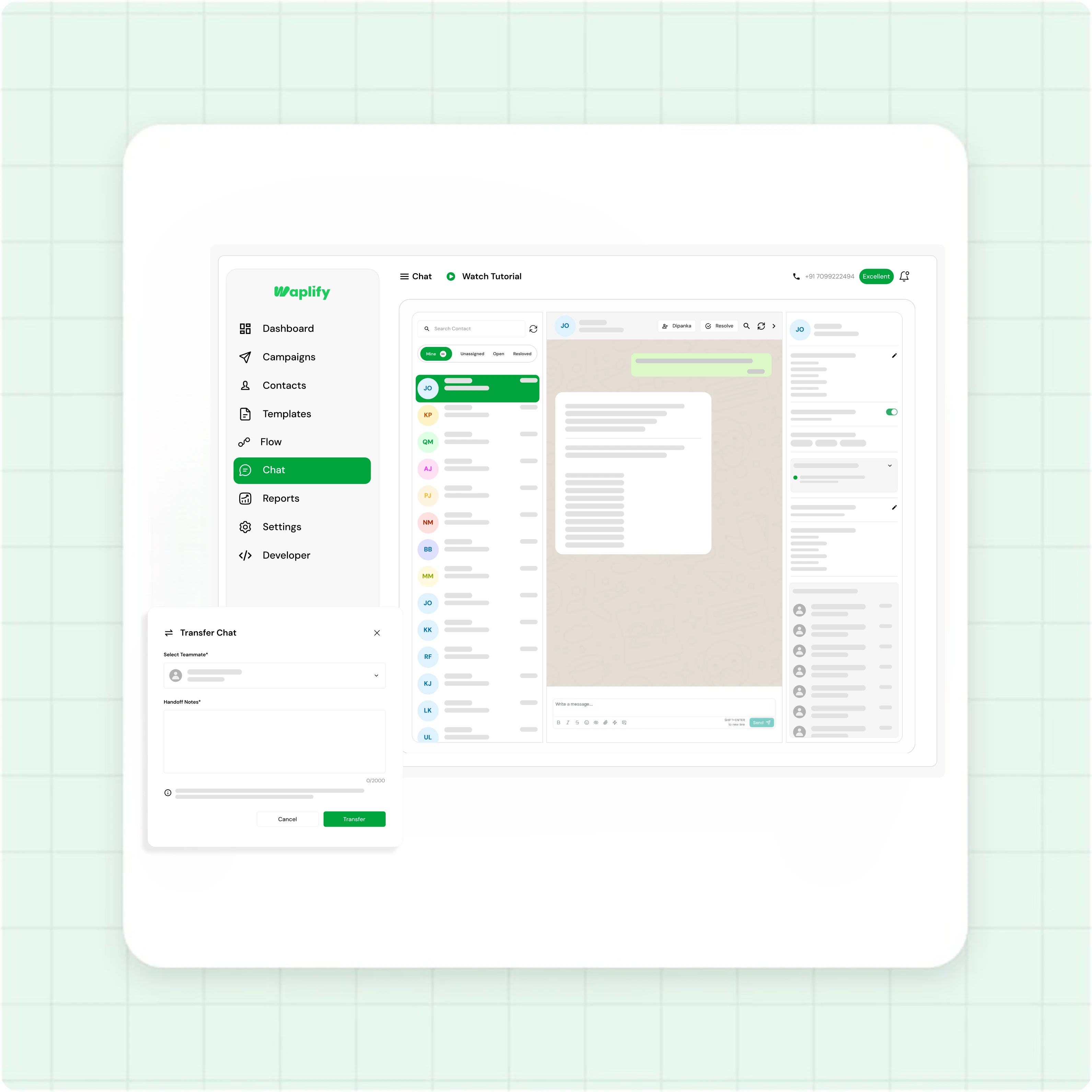
Transfer a chat to the right teammate and the full context goes with it.
- Add a handoff note so the next agent has the background
- The receiving teammate is notified in real time
- An info panel shows contact details, tags, and customer journey
- Handoff history records who touched the chat and why
Share new chats automatically
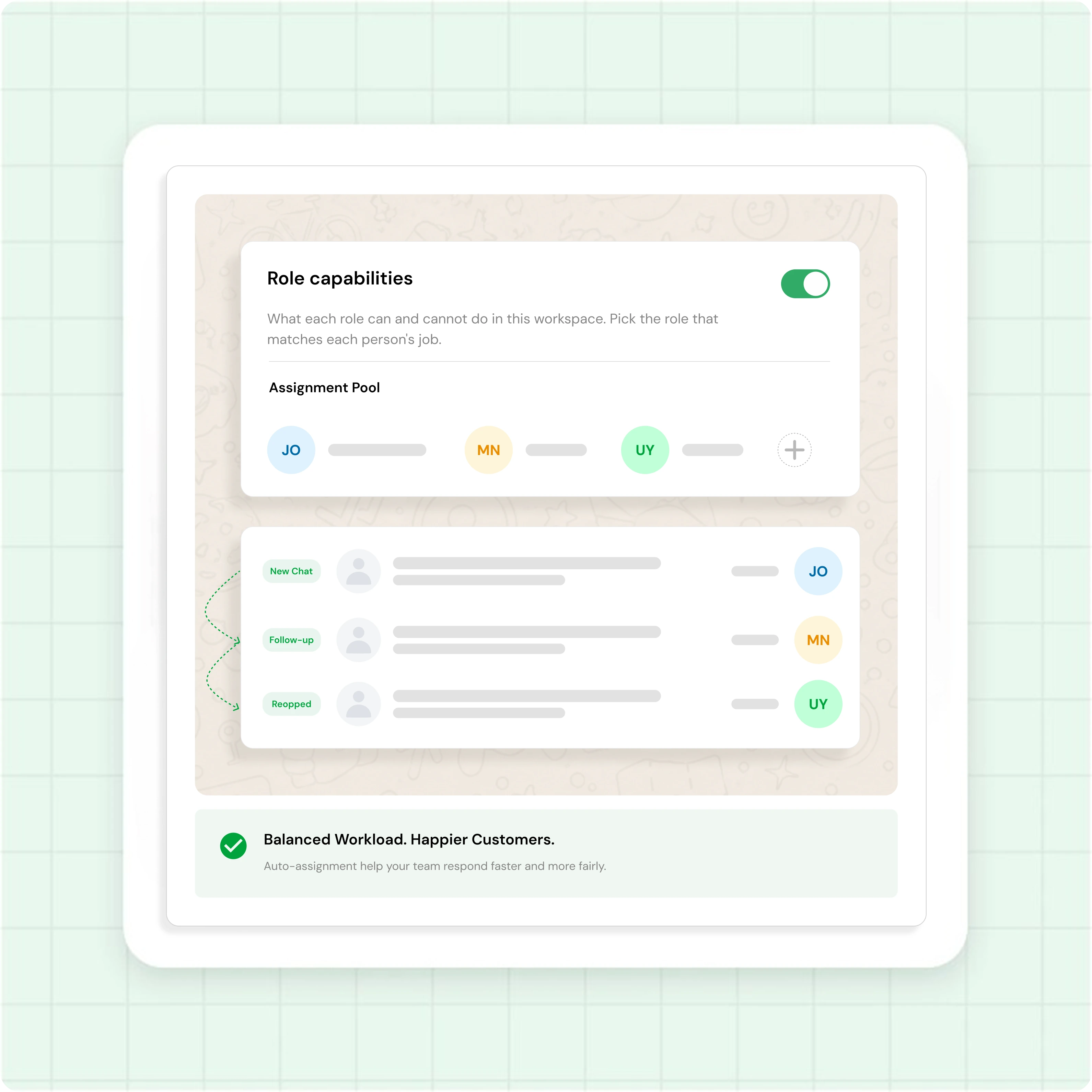
Turn on auto-assignment and Waplify routes new conversations round-robin.
- Round-robin keeps every agent's workload even
- Set an assignment pool of who receives new chats
- A customer stays with the same agent for every follow-up
- Reopened chats return to the agent who first handled them
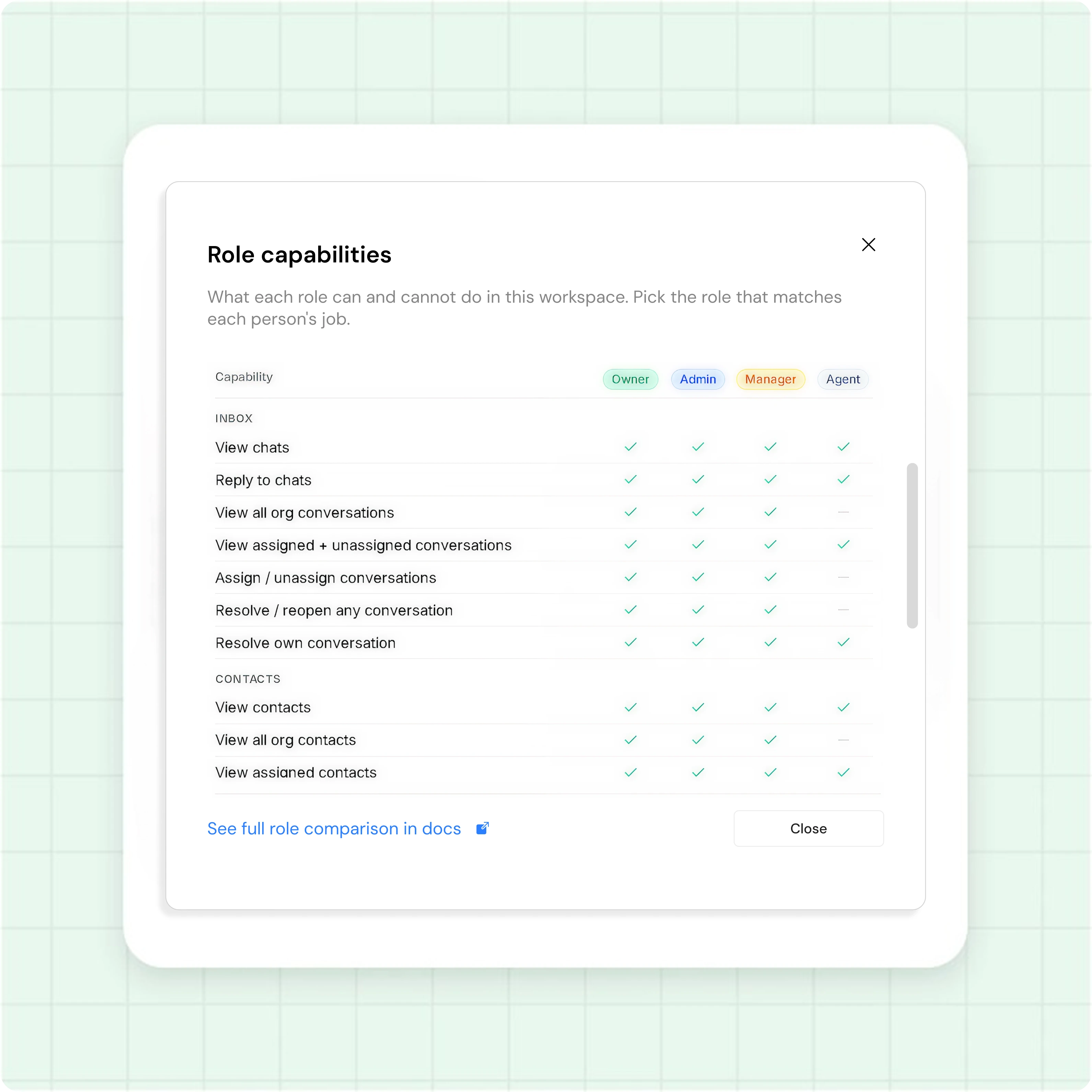
Give each agent the right access
Role-based access controls what every person can do and see.
- Owner, Admin, Manager, and Agent roles, set on every invite
- Agent view scope: only assigned chats, or the whole inbox
- Actions a role cannot take are hidden from it
- Pick the Team layout for routing, or Simple for solo replies
Set up your team inbox in four steps
-
Connect your number
Link your number to the WhatsApp Business API through Waplify, away from personal-number ban risk.
-
Invite your team
Add each member by email, pick their role, and set the agent view scope.
-
Choose style and routing
An Owner or Admin picks the Team layout and turns on auto-assignment under Settings.
-
Assign, resolve, and route
Your team works the four tabs while new chats route themselves, from a campaign reply, a conversational flow, or your WhatsApp chat button.
How real teams use the Waplify team inbox
-
A digital agency routing client chats
"Client questions auto-assign round-robin across account managers, so every chat has an owner within seconds. When a specialist is needed, managers transfer it with a clean handoff note, forwarding screenshots."
-
A coaching institute during admission season
Counsellors share the inbox while each agent on the Assigned view scope sees only their own chats. Resolved tags clear enrolled students from the queue, so the team always knows who still needs a reply.
-
A real estate team qualifying buyers
Each buyer enquiry is assigned to the agent who owns that area. When a past buyer messages again, reopen behavior sends the chat back to the agent who already knows them, so nobody starts over.
Common questions
Quick answers to the questions buyers ask most
1. What is a WhatsApp team inbox?
2. How does auto-assignment work?
3. Can I limit what an agent can see and do?
4. Does the team inbox work for my industry?
5. What is the difference between the Team and Simple inbox styles?
6. Is there a lifetime plan?
Get Lifetime Access to Waplify Today
Stop paying for monthly subscriptions. Automate your business forever with a one-time investment.
Lifetime plans at ₹24,999